Following my child
Everything about your child sits in one place, and updates as their teachers enter it.
In brief
- How to switch from one child to another.
- Why a grade may not show up yet.
- Where to download the end-of-term report.
Several children
My children lists them all. You pick the one you want to look at, and every screen follows your choice.
Their timetable
Children's schedule shows their lessons by day, by week or by month, with the subject, the time and the room. Cancelled sessions are flagged.
Their grades
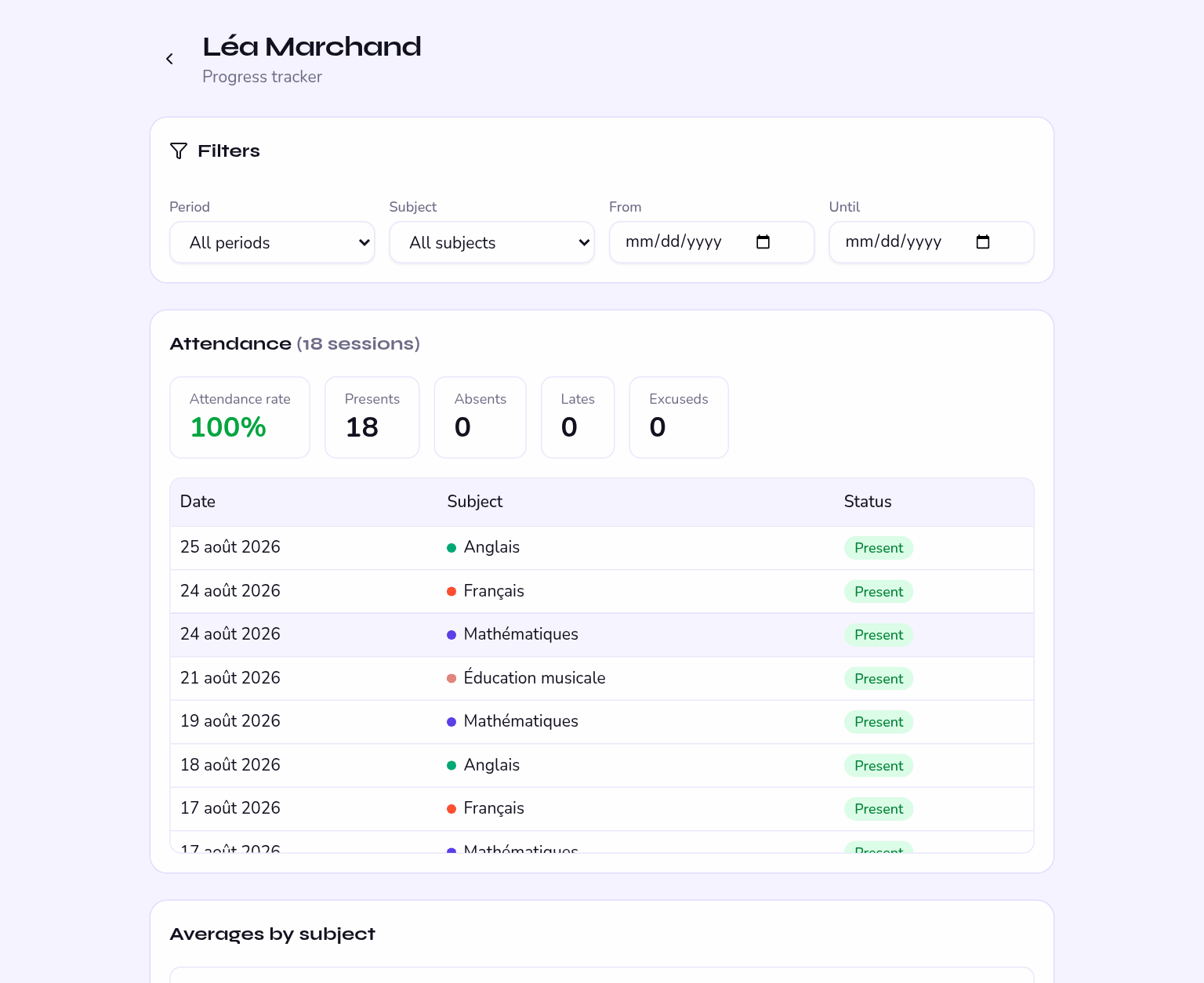
You see the assessments teachers have published, with the scale, the coefficient and any comment.
Until the teacher publishes the assessment, it is not shown to you. That is neither an oversight nor a fault: it is marking time.
Their absences
The history lists each session with the state recorded — present, absent, late or excused — and the attendance rate for the term.
If an absence looks wrong to you, you can submit an absence note.
Their report card
The end-of-term report downloads as a PDF from your child's page. It brings together grades by subject, averages, teachers' comments and the attendance summary.
A report produced before the end of term reflects work in progress: grades not yet locked, comments sometimes incomplete.
Writing to the team
Messages lets you write to your child's teachers and to the office, with attachments if needed. The reply arrives in the same place, and by email according to your preferences.