Your account
Your account follows you whatever your role. It is where you set your language, your alerts and your password.
In brief
- How to recover access you have lost.
- Where to change the language of the app — it is a personal setting.
- How to choose which alerts you get, in the app and by email.
Signing in
You sign in with your email address and password, at your school's web address. If you have just been invited, use the link in your email rather than the sign-in page: it attaches your account to the school.
Forgotten password
- Ask for a reset From the sign-in page, Forgot password sends you an email with a reset link.
- Open the link you receive It takes you to a form where you choose a new password. The link is single-use and expires — if it no longer works, ask for another.
- Sign in again The old password stops working as soon as the new one is saved.
Temporary password
If your account was created by an administrator — which is the case for students and often for teachers — you receive a temporary password. The app asks you to choose a new one on first sign-in, and will not let you through before you do.
Changing language
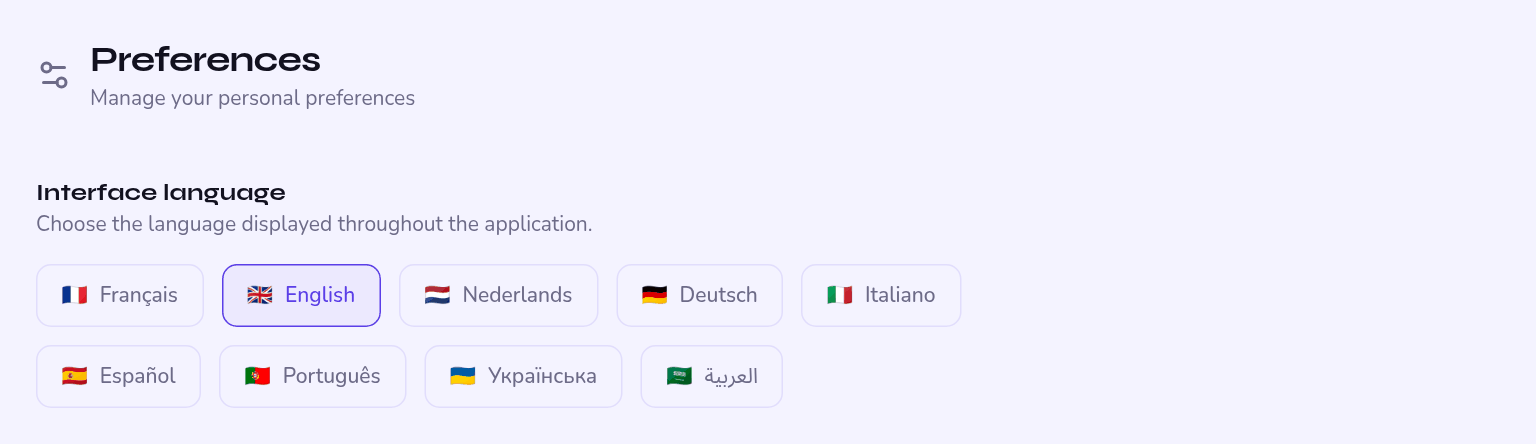
Language is set in your profile, and it belongs to you alone: your school imposes nothing. Nine languages are available — French, English, Dutch, German, Italian, Spanish, Portuguese, Ukrainian and Arabic.
The whole interface flips: the menu moves to the right, tables and forms follow. The data does not move — you are working on the same students and the same timetable as your colleagues.
Your notifications
Kiteba sends eight kinds of alert. For each one you decide whether you want it in the app, by email, both, or not at all.
| Alert | Sent when… |
|---|---|
| Absence | a student is marked absent during attendance |
| Late arrival | a student is marked late |
| Grade published | an assessment is published |
| New message | you receive a message |
| New announcement | the school publishes an announcement that concerns you |
| Session cancelled | a lesson on your schedule is cancelled |
| Assessment locked | the grades of an assessment are frozen |
| Link confirmed | a parent confirms their link to a student |
Even without email, the notification is still there in the app, on the bell. Many teachers keep only absences and messages by email.
Account security
Choose a password you use nowhere else, and do not share it between colleagues: actions are recorded against the account that performs them.
Two-step verification is currently available only for the publisher's own accounts, not for school accounts. If your security policy requires it, tell us at support@kiteba.eu — it is a request we are tracking.