Billing and subscription
Your plan sets three ceilings: the number of students, the number of staff accounts and the storage space. Everything else is identical from one plan to the next.
In brief
- The four plans and their ceilings.
- Exactly what happens when you hit a limit.
- How your VAT is worked out and where to find your invoices.
The plans
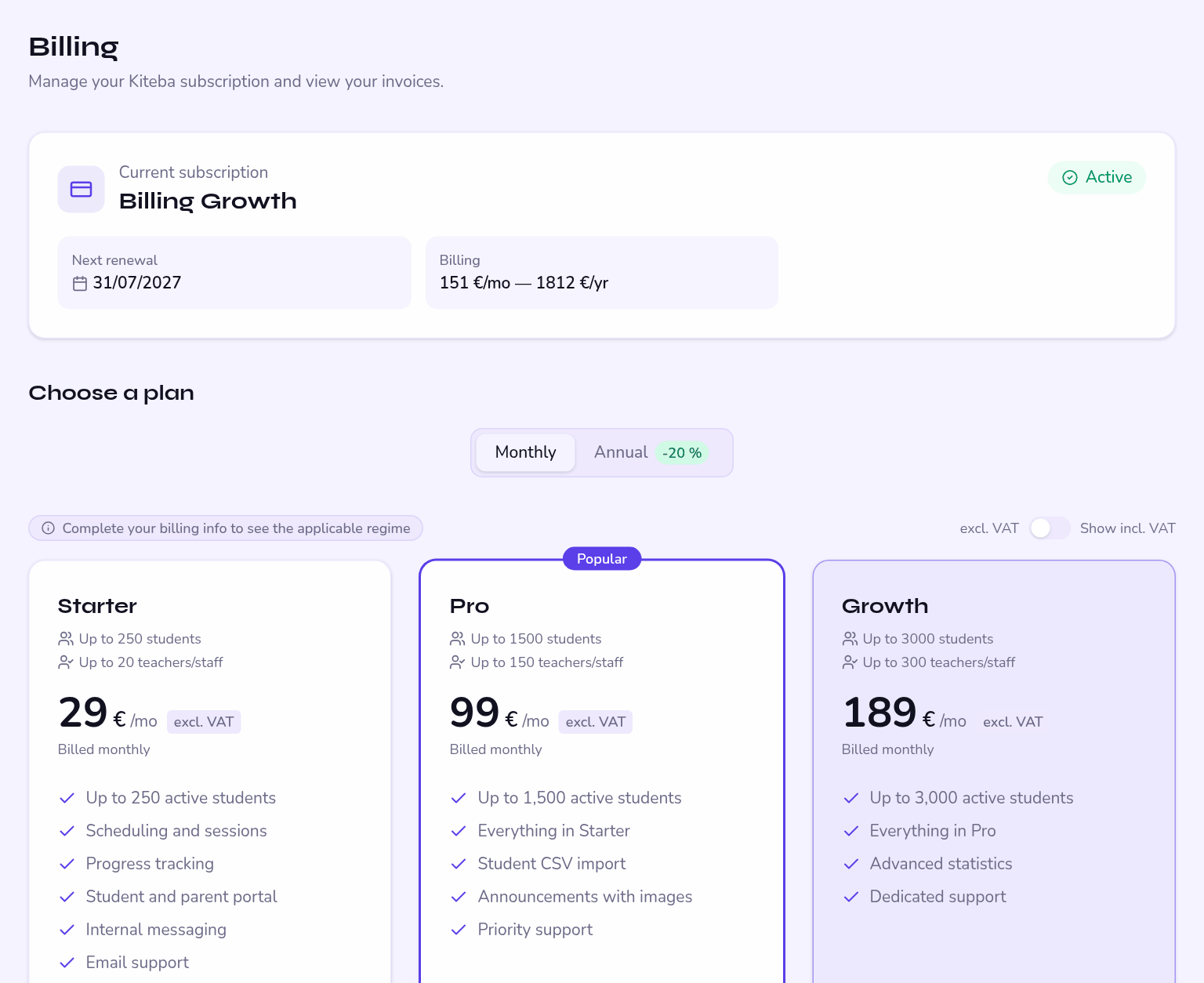
| Plan | Students | Staff | Storage | Monthly | Annual |
|---|---|---|---|---|---|
| Starter | 250 | 20 | 50 MB | €29/month | €23/month |
| Pro | 1,500 | 150 | 200 MB | €99/month | €79/month |
| Growth | 3,000 | 300 | 500 MB | €189/month | €151/month |
| Enterprise | unlimited | unlimited | negotiated | on quote | — |
Online courses are included in Pro and Growth; on Starter they are an add-on. During the trial, they are open to everyone.
If you move from Pro or Growth to Starter while you have online courses, Kiteba offers to keep the add-on. Without it, the courses are hidden, never deleted: they come back as soon as the add-on or a higher plan is activated. Conversely, moving from Starter with the add-on to Pro cancels the add-on, and the unused time is credited.
What happens at the limit
| Ceiling reached | Consequence |
|---|---|
| Number of students | Creating a new student is blocked, with a prompt to change plan. Removed students no longer count. |
| Storage space | Uploads are refused: no attachments, no absence notes, no logo. Everything else keeps working. |
| Staff accounts | No new teacher invitations. |
Check your removed students and your storage usage first. A clear-out of absence notes is often enough to get back under the threshold.
The options
| Option | Price | What it adds |
|---|---|---|
| Online courses | €30/month or €360/year — included in Pro and Growth | Publish courses structured into modules, with quizzes and progress tracking. |
| Payment link | €12/month, €9 on an annual commitment | Put a payment button into an announcement, pointing at your own solution. |
| White label | coming | Advanced customisation of the interface. |
Annual commitment
An annual commitment takes 20% off the plan and the options alike.
It gives 10% off for life, but it is only accepted on an annual subscription. On a monthly subscription it will be refused.
Details and VAT
You enter your legal name, your country and your VAT number in the app. The applicable regime follows automatically:
- European Union, with a valid VAT number — reverse charge, invoice excluding VAT;
- European Union, without a VAT number — VAT of the customer country, through the OSS;
- Outside the European Union — exempt.
If it is invalid, reverse charge does not apply and the invoice goes out with VAT. Check it before your first payment rather than after.
Invoices and payment method
Billing runs through a secure customer portal, reachable from Billing. You will find your invoices there, and you can change payment method, change plan or cancel.
Each paid invoice is copied to your accountant if that forwarding is configured. If it fails, a warning appears in your space.
End of trial and cancellation
At the end of the 15-day trial the school is entirely locked: a full-screen message blocks every action for every role. Choosing a plan restores access immediately, with no data lost.
A countdown shows the days left before the data is deleted. Do not leave a locked school waiting: if you are still deciding, write to support to have the trial extended rather than letting the deadline pass.