Assessments and reports
Teachers enter, you set the frame: how the year is divided, when grades are frozen and how report cards are produced.
In brief
- How to divide the year into terms — and why it is the first setting to get right.
- The difference between publishing and locking an assessment.
- What a report card contains and who can download it.
Academic terms
The school year is divided into terms: monthly, termly or half-yearly, depending on the school setting. Only one year is active at a time.
Every assessment attaches to a term, and it is that attachment which lets you produce a coherent report card afterwards.
Changing the division mid-year leaves assessments attached to terms that no longer match. Settle this at the start of the year.
Assessments
An assessment hangs off a session. It carries a title, a maximum score, a coefficient and a term. Grades are then entered student by student, with an optional comment.
| Field | Purpose |
|---|---|
| Title | What the student and their family will see. Be explicit: "Chapter 3 test" beats "Test 2". |
| Max score | The scale. Nothing forces you to mark out of 20. |
| Coefficient | How much the assessment weighs in the term average. |
| Academic term | The report card the assessment will appear on. |
Publishing and locking
Two different actions, often confused:
| Action | What it does | Reversible? |
|---|---|---|
| Publish | Makes the grades visible to students and parents. | Yes — Unpublish hides them again. |
| Lock | Freezes the grades read-only and notifies the students and parents concerned. | No. It is final. |
The app asks you to confirm, and that is the only safeguard. Lock when the term is closed and you have read through — not before.
Comments
A teacher writes one comment per student × subject × term. There can only be one per combination: a second entry replaces the first, it does not add to it.
The Assessments screen filters by level, class and subject — enough to spot quickly what is missing before a progress meeting.
The end-of-term report
The report is a PDF produced on demand. For a given term it brings together:
- grades by subject and the resulting averages;
- the comments written by teachers;
- the attendance summary — present, absent, late, excused.
You produce it from the student's record. The parent can download it from their own space.
Check three things: attendance sheets for the term are complete, comments are written for every subject, and the assessments concerned are attached to the right term.
Individual tracking
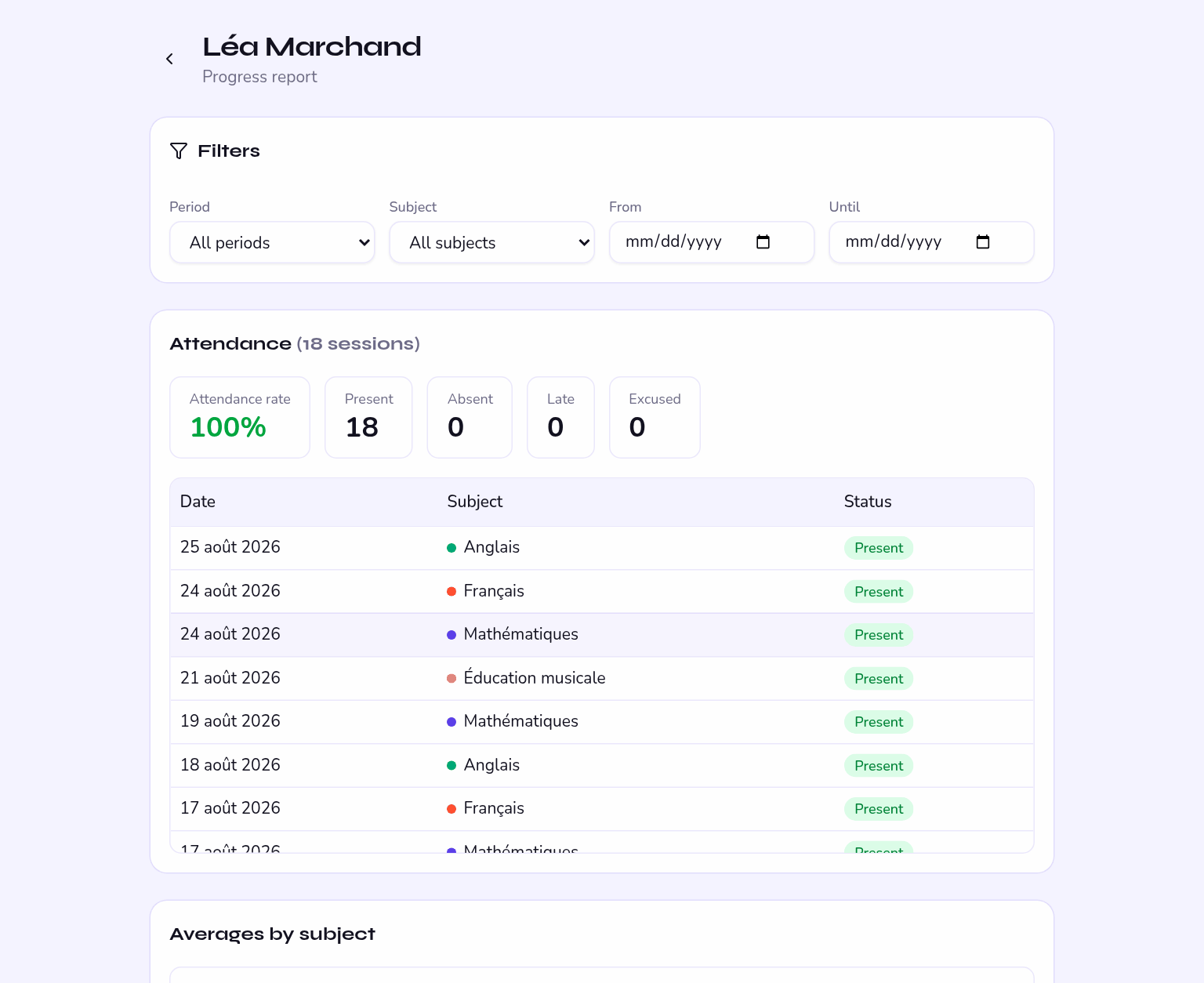
A student's tracking page brings together how their grades have moved, their attendance history and the comments they have received. It is the document to open before meeting a family.