Attendance and absence notes
Teachers take attendance, you keep watch. Your job is mostly spotting forgotten sheets, handling the notes families submit and freezing the numbers at the end of term.
In brief
- Where to see at a glance which sheets have not been filled in.
- What locking prevents, and for whom.
- How an absence note travels, from the parent to the archived PDF.
Following the sheets
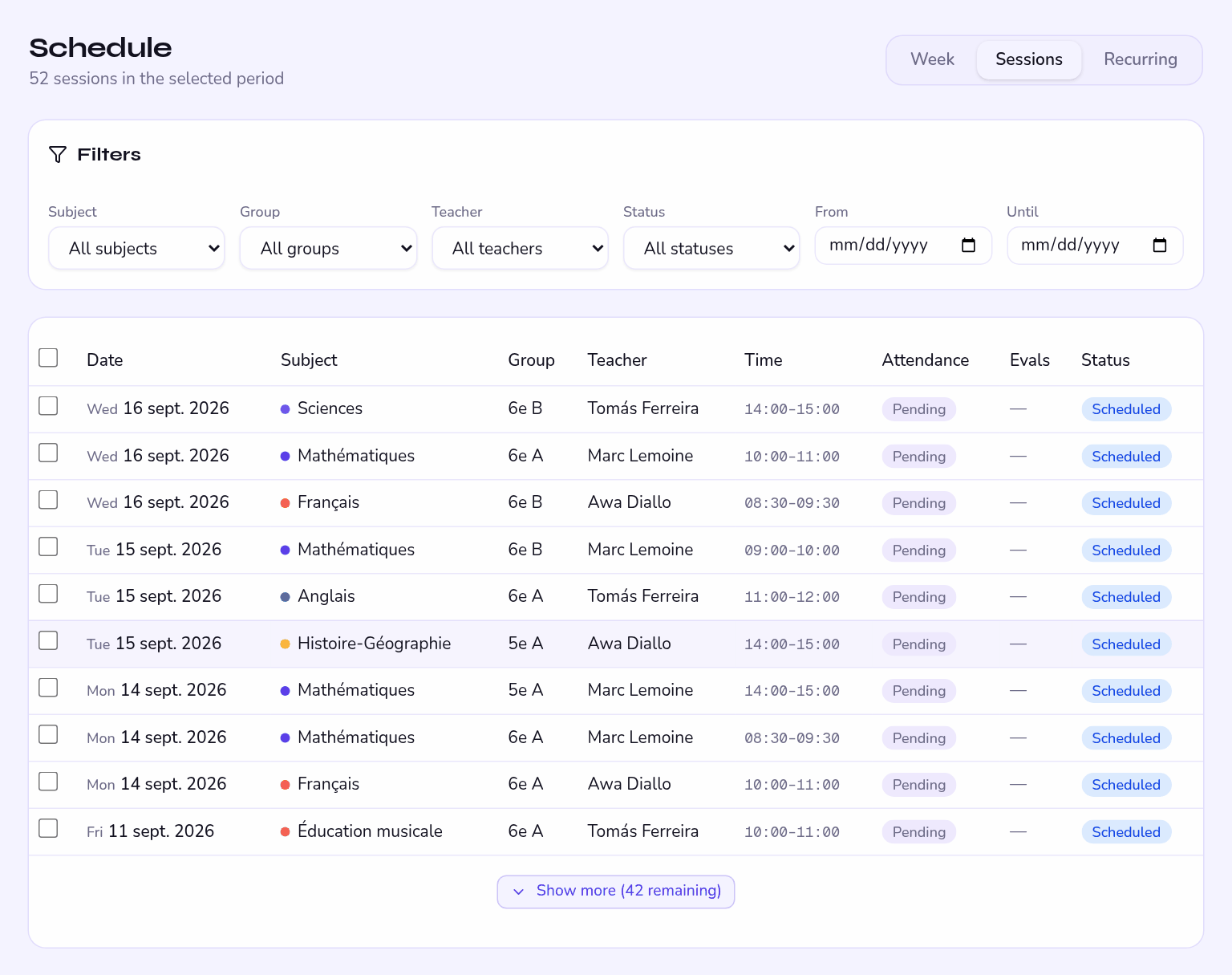
Attendance gathers the school's sessions with their entry status. The Attendance column tells Done from what is still Pending: that is your chase list.
Filter on the week gone by and sort on pending attendance: three clicks give you the list of teachers to chase, before families notice.
The four states
| State | Effect |
|---|---|
| Present | Counts towards the attendance rate. |
| Absent | Notifies the parents. Appears in the student's record and on their report. |
| Late | Notifies the parents, with an alert distinct from absences. |
| Excused | Drops out of the absence count. Shown as Excused in the statistics. |
The detail of entering attendance is on the teacher side, in Taking attendance — worth re-reading before training your team.
Locking a sheet
Locking freezes the sheet: it stays readable but accepts no further change.
A locked sheet can no longer be changed by anyone, administrator included. That is what makes it a reliable document for a report card or a file — and what stops you going back to it afterwards.
How an absence note travels
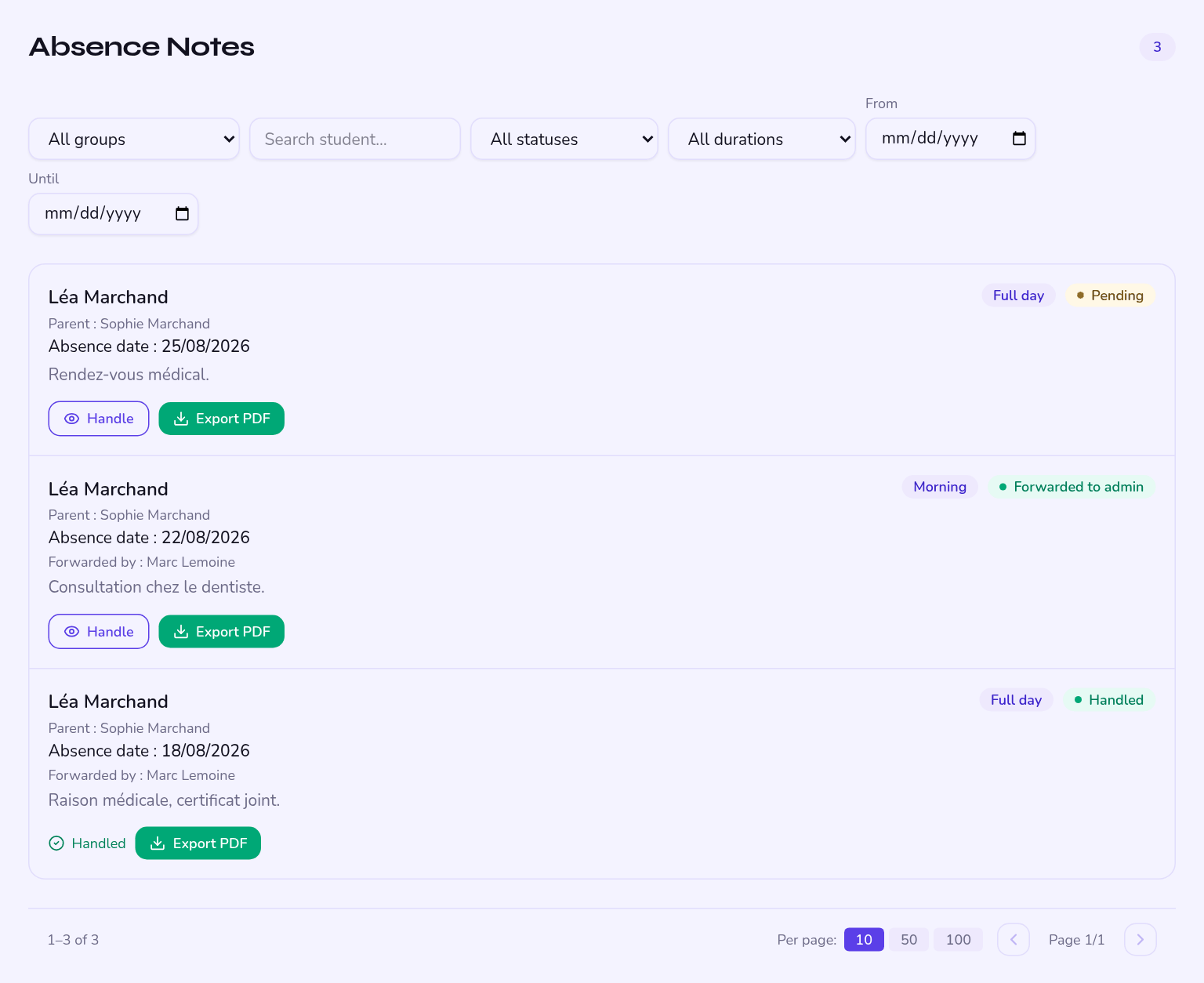
An absence note follows three sign-offs, each timestamped:
- The parent submits Date, duration — morning, afternoon or full day —, reason, and an attachment if they have one.
- The teacher reviews and forwards They read the note, then forward it to the office.
- You sign off The note is closed. You can then produce the official PDF.
At each step the timestamp is kept: you know who saw what, and when.
Accepting a note does not automatically move the student from Absent to Excused. If you want the report card to reflect it, ask the teacher to correct the sheet — while it is still unlocked.
The absence note as PDF
The export carries the school's identity, its logo, the student's details and the full chain of sign-offs. It works as an archivable record, which matters in particular for training providers subject to attendance audits.
Access to an absence note — reason included, medical ones among them — is not currently restricted to the student's own teachers. Tell your team, and ask families to keep the reason field factual.
Reading attendance
The statistics give you the overall attendance rate, the split between present, absent, late and excused, and the breakdown by group, all filterable by academic term.