Messages and announcements
Two tools for two needs: messages to address someone, announcements to publish information people come and read.
In brief
- The seven ways to target a group send.
- What an announcement does that a message does not.
- Who gets an email and who only gets a notification.
Writing a message
A message carries a subject, a body of at most 5,000 characters and up to five attachments of 5 MB each (PDF, Word, Excel).
They come out of the school's quota. For a heavy document sent to every family, prefer a link to your usual file-sharing space.
Group sending
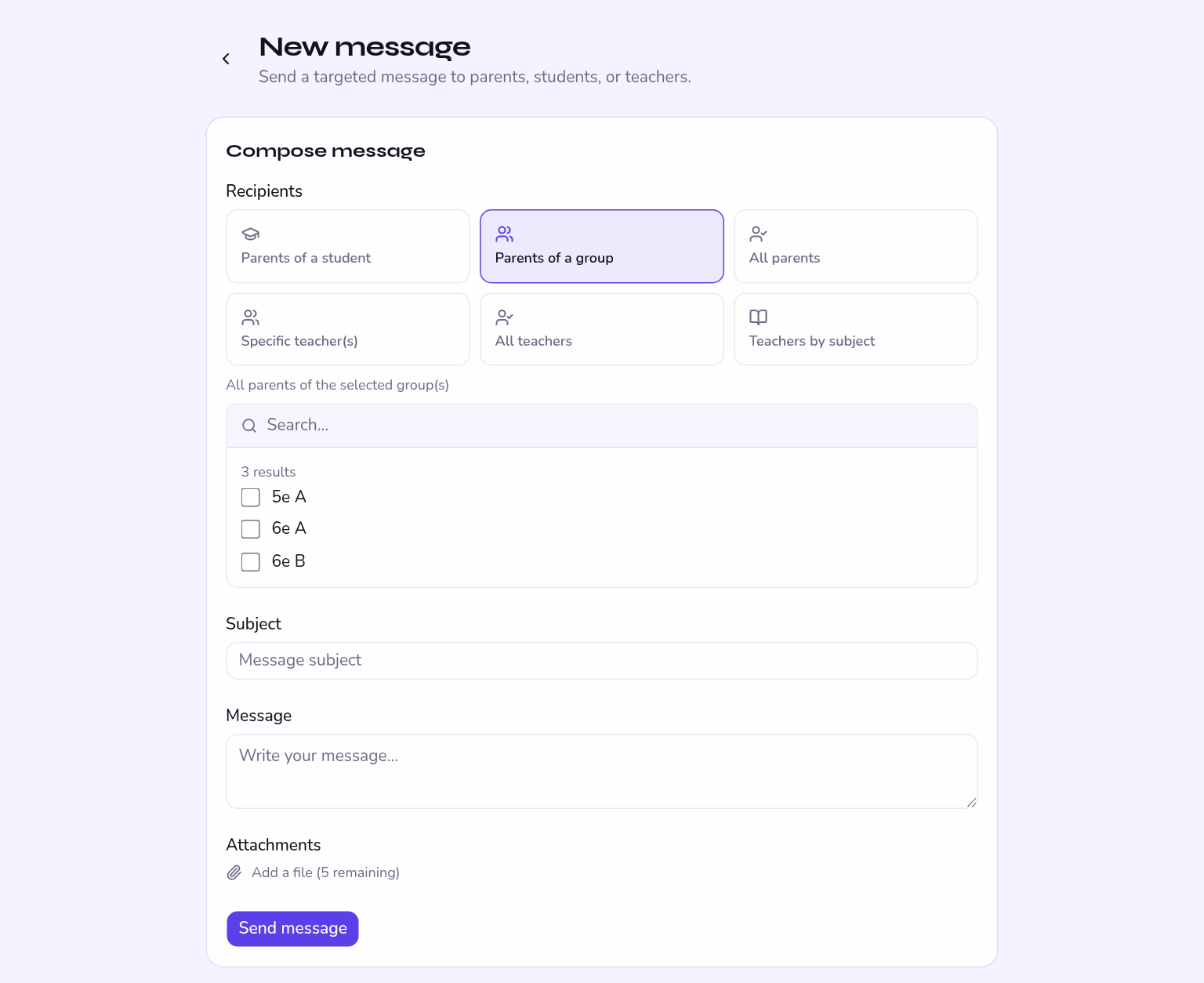
Reserved to the administrator, it saves composing three hundred identical messages. Seven targets are available:
| Target | When to use it |
|---|---|
| Named recipients | You pick people one by one. |
| One student's parents | An individual matter: repeated lateness, a meeting. |
| One group's parents | A school trip, a room change for one class. |
| All parents | School-wide information: closure, start-of-year meeting. |
| Named teachers | A specific teaching team. |
| All teachers | An internal instruction. |
| One subject's teachers | A departmental meeting, a syllabus change. |
When the parent portal is switched off, every "parents" target automatically redirects to the learners themselves. Nothing changes in your habits.
A send cannot be recalled. All parents and One group's parents sit next to each other in the list, and the mistake is easily made.
Announcements
An announcement is a school publication: it stays available to read, can carry an image and attachments, and is targeted by group. It is the right medium for a calendar, a set of rules or start-of-year information.
The payment button
With the matching option, you can drop a payment button into an announcement, choosing its address and its label — pointing at your usual payment tool for a school trip, for instance. The recipient's email address can be added to the address automatically.
That button is simply a link to your own solution. No money moves between the school and families through Kiteba, and no bank details are stored in it.
Who gets told
Every recipient gets a notification in the app, and an email if their preferences allow it. Someone who has switched emails off will see the message when they sign in, but not in their inbox.
Nothing guarantees a parent opens the app within the hour. For an unexpected closure, double up with your usual channel.
Message or announcement?
| You want to… | Use |
|---|---|
| Get a reply from someone | Message |
| Inform without expecting a reply | Announcement |
| Reach a whole class with an attachment | Announcement targeted at the group |
| Deal with an individual case | Message to the student's parents |